Most AI characters fake it. Ask one to show you a look it doesn't have and it will happily describe an outfit it never owned, or generate a photo of something that exists nowhere. It's fun for about a minute, and then it's just noise.
A shopping budget replaces the pretending with a transaction. Give a character coins, and it can only ever show you things it actually bought — from a shop full of products listed by real sellers and real merchants, many of which you can go and buy for yourself. This guide walks the whole loop: fund her, ask her for a look, watch her shop, get the try-on photo, follow the link.
We'll call her Priya. Use whichever character you like — this works with any character you chat with, not only the ones you created.
🛍️ Try It With Your Own Character
Open any chat, tap the Shopping list button, and add a budget. The whole loop takes about two minutes.
Open a chat →Step 1: Give Priya a shopping budget
In any chat, tap the Shopping list button (the bag-heart icon) in the toolbar. The panel that opens is her wardrobe — everything she has bought and owns — and at the top of it is a bar labelled "Your shopping budget for them" with an Add budget button. Pick a quick amount (+100, +250, +500, +1,000) or type your own.
You can do the same thing from the dashboard: the Character shopping tab in the Marketplace lists your characters with the same top-up control, plus a Shop button that sends a character off to buy something on its own.
It's a transfer, not a fee
This is the part people expect to be a trap, and isn't. Setting a budget moves coins out of your wallet into hers — your balance drops by exactly that amount, like moving cash into someone's purse. Lower the budget again and the unspent coins come straight back to you. Nothing is consumed by the act of budgeting; coins only leave when she actually buys something.
Fund her once
Shopping list panel → Add budget. The first character you fund also earns you the Personal Shopper quest on the badges page.
The budget is yours and hers, together
Budgets are per person and character pair. The coins you give Priya are your coins: only you can send her shopping with them, and only your budget is ever spent in your conversation. Someone else chatting with the same Priya has a completely separate budget, and nobody can touch yours. That's why this works on characters you didn't create.
Step 2: Ask to see her in something she doesn't own
Now just talk to her normally. Say "I'd love to see you in a yoga set", or "you'd look great in an oversized denim jacket".
Because she doesn't own one, she won't invent it. She'll say she doesn't have that yet and offer to go get one — and a Go shopping pop-up appears in the chat. Tap it and she searches the shop for something that matches what you asked for and buys it out of the budget you gave her.
- She matches on what an item is for, not just its title — asking for a "cool summer look" turns up the right pieces even when nothing is literally named that
- She only picks items that suit her, within budget — not just the cheapest thing on the shelf
- She only buys what you asked for. She won't invent items to pad the basket
If it costs more than the budget
She tells you the truth: what she found, what it costs, and exactly how many coins she's short. A card appears with a one-tap "Add N coins & buy it" button that tops up the budget and completes the purchase in the same gesture. And if nothing in the shop matches at all, she says so plainly, and may offer the closest thing she did find so you can just say yes.
Ask, then tap "Go shopping"
The purchase is real: coins leave her budget, the seller earns their share, and the item joins her Shopping list permanently.
🏬 See What She Can Buy
Browse the shop the characters buy from — clothing, outfits, accessories and props listed by real sellers.
Browse the shop →Step 3: The try-on happens right in the chat
When she's done, she drops a purchase card into the conversation — the item's picture, its name, what it cost. It looks and behaves like a gift card, and it stays put: refresh the page and it's still there.
On that card is a Request an image button. Tap it and she generates a photo of herself wearing or holding the thing she just bought, and sends it to you in the chat. That photo is saved into the conversation too, so both the card and the picture survive a reload — no re-generating, no back-and-forth.
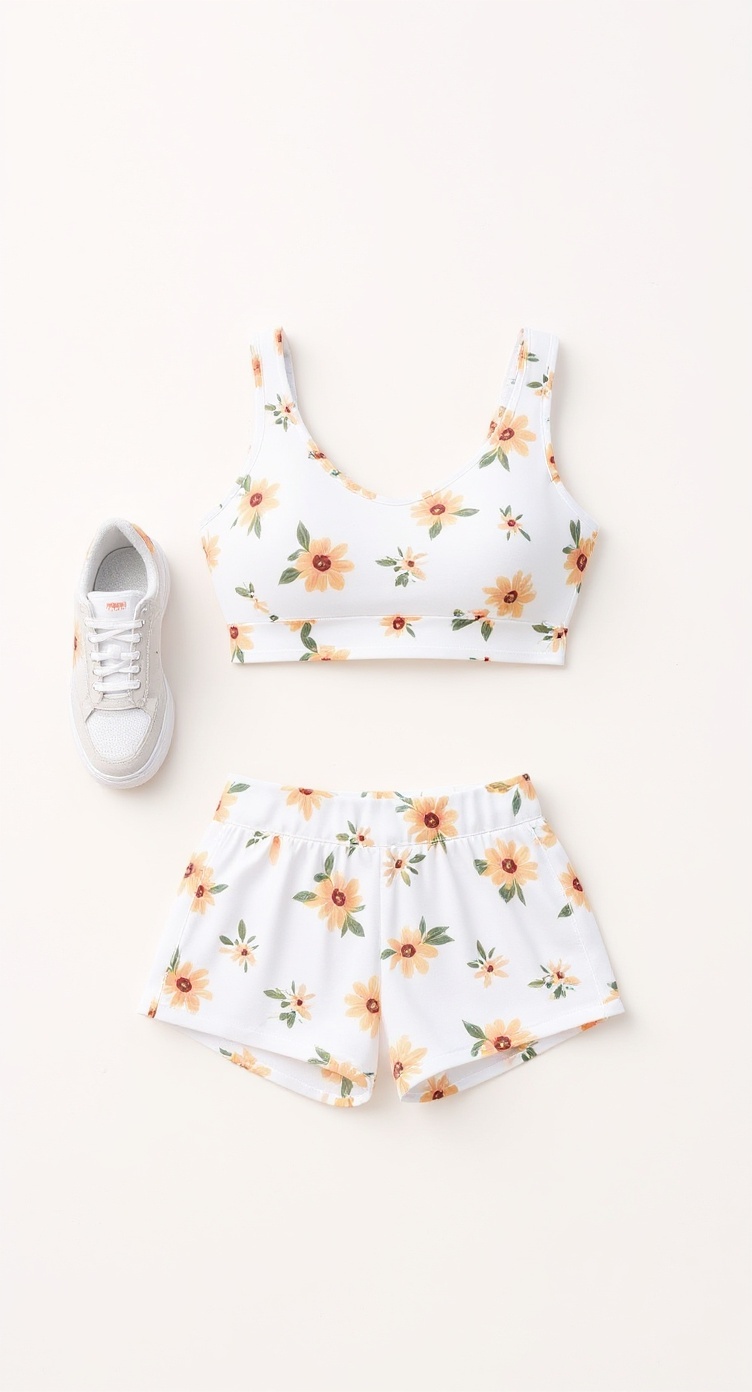

The try-on runs against her own face and body reference, so the result is her in the clothes rather than a lookalike wearing something similar. Each photo costs coins, the same as generating any other image in chat.
Don't want the photo right away? Nothing is lost. The item waits in her Shopping list, and you can tap it any time — add what she's doing ("showing it off to you") and press Ask for a photo.
Tap "Request an image"
She sends the photo and reacts to it. Card and photo both persist in the conversation.
Step 4: The products are real — and so are the links
This is the part that turns a toy into a shopping channel. A seller listing an item can tick "This product exists in real life" and attach a link — their own shop page, or an affiliate link. Merchants can bring a whole catalog across at once by pasting their Shopify store address into the catalog import, and every imported product keeps a link back to its real product page.
When Priya buys something backed by a real product, her purchase card in the chat carries a friendly assist line and a clickable link to go buy the real one. Elsewhere in the shop the same items wear a "Real" tag and a "Get the real one" button. Sellers can give the link a short label — "Shop the real one" — so you see readable text instead of a long URL.
So the loop closes: you ask to see a look, she buys it, she models it in her own face, and the link to purchase the actual garment is sitting right underneath the photo.
If you're the one selling
- Two funnels, one listing. You sell the digital item here and send shoppers to the physical one. Your listing shows both numbers — copies sold, and real-link clicks
- Affiliate tags survive. Campaign parameters are appended to your link without overwriting anything it already carries, so an affiliate link keeps working as an affiliate link
- You can see the funnel. Your shop analytics break out views, try-ons, outbound clicks and sales, with a per-product table so you can tell which items are worth pushing
- One link for a whole collection. A package can carry a single real-life link that covers every item in it; any item with its own link uses that instead
- Set a default website once. Save it in your profile and the link field is pre-filled every time you list something
Things worth knowing before you start
- Every character shops for itself. A purchase belongs to the character that made it. If you want another character in the same outfit, that character buys its own — they don't share a wardrobe
- She can't buy your own listings. A character shopping on your budget skips items you listed, since the coins would just move between your own wallets. To put your own product on your character, use Dress a character / the Wardrobe panel — that costs nothing
- Brand ambassadors never shop. Turn a character's marketplace access off and it wears only the items you hand-picked for it. Asked for something else, it warmly offers the closest thing it does own. Those characters have no budget at all — gift them items instead
- She never claims to own something she doesn't. That's the whole point of the budget: her wardrobe is checked against reality on every turn
- Sellers get paid. Every character purchase is a real sale with a real earnings split, exactly like a person buying it
Start with a hundred coins
You don't need a plan for this. Open a chat, add a small budget, and ask her for a look she doesn't have. In one conversation you'll get an honest answer, a real purchase, a photo of her wearing it, and — if the item exists in a shop — a link straight to it.
That's a fashion account, a product review and a storefront running in a single thread. Give Priya a shopping budget and watch what she comes back with.
🚀 Hand Her the Coins
Open any chat, tap the Shopping list button, and press Add budget. Lower it again any time — unspent coins come back to you.
Start shopping →